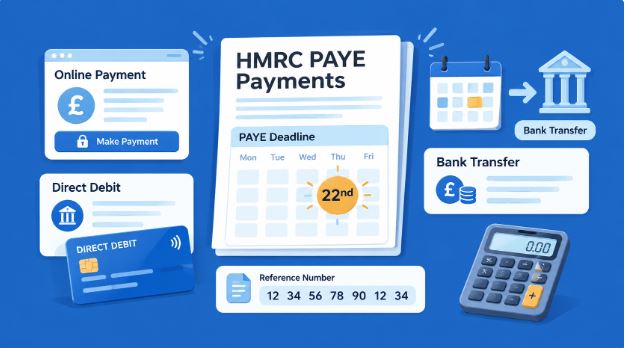
Running payroll is not just about paying employees correctly. Once you have submitted your payroll information to HMRC, you must also pay the PAYE bill on time. This usually includes Income Tax deducted from employees, employee and employer National Insurance contributions, and any other payroll liabilities due for the period.
This guide explains How to Make HMRC PAYE Payments, the deadlines to remember, the payment reference to use and how to avoid unnecessary interest or penalties.
What are HMRC PAYE Payments?
HMRC PAYE Payments are the amounts an employer sends to HMRC after processing payroll. Your bill may include:
- Income Tax deducted from employees’ pay
- Class 1 employee National Insurance contributions
- Class 1 employer National Insurance contributions
- Student Loan or Postgraduate Loan deductions
- Apprenticeship Levy, where applicable
- Other payroll adjustments reported through your payroll software
The amount due is normally shown after you submit your Full Payment Submission, often called an FPS, through payroll software.
When do you need to pay?
Most employers pay HMRC monthly. Your payroll tax month runs from the 6th of one month to the 5th of the next.
| Payment method | HMRC payment deadline |
| Online banking, bank transfer, card or Direct Debit | 22nd of the following tax month |
| Cheque by post | 19th of the following tax month |
| Quarterly payer using electronic payment | 22nd after the end of the tax quarter |
For example, PAYE deducted in the tax month from 6 April to 5 May must normally reach HMRC by 22 May if you pay electronically.
Smaller employers may be eligible to pay quarterly rather than monthly, but this must be agreed with HMRC. Quarterly deadlines are 22 July, 22 October, 22 January and 22 April for electronic payments.
Before making a payment
Before you make a payment, check the following:
- Your payroll has been completed for the relevant tax month.
- The FPS has been submitted to HMRC on or before payday.
- You know the total PAYE liability due.
- You have the correct Accounts Office reference number.
- You have allowed enough time for the payment to clear.
Your 13 character Accounts Office reference is usually available in your HMRC online account, payroll software or the employer registration letter. It is essential because HMRC uses it to allocate your payment to the correct PAYE account.
How to Make PAYE Payments to HMRC
There are different ways for employers to pay PAYE to HMRC, which helps make the choice easy based on their payroll process.
Direct Debit
If you are an employer who wishes to have a secure way of paying and avoid missing any deadlines, then you may consider using Direct Debit. You can set up your Direct Debit payment through your HMRC online account, and HMRC takes the amount shown on your payroll return submission.
Set up your Direct Debit at least four working days before the payment deadline. The payment can be collected by HMRC soon after the 22nd or four working days after your submission if your submission is after the 19th.
Online Bank Transfer
Paying via online or telephone banking using Faster Payments, CHAPS or Bacs.
- Faster Payments: Payment reaches HMRC within the same or next day, even on weekends and holidays.
- CHAPS: Payment reaches HMRC on the same working day provided you comply with the cut-off time of your bank.
- Bacs: It takes three working days.
When paying PAYE by bank transfer, use your 13-character Accounts Office reference without spaces. If you pay early or late, you need to add four extra digits to the reference.
Pay Through Your Bank Account
HMRC’s online payment system allows you to authorise payment from your online banking website. It is helpful in instances where you need to make a one-off payment without typing in HMRC’s banking details. The payment processes immediately but may take up to two hours to be reflected in your bank account.
Debit or Corporate Credit Card
You can also pay through your personal debit card, corporate debit card or corporate credit card. Payment made using personal debit cards does not incur any cost, but there is a non-refundable fee that applies to corporate debit and credit cards. Personal credit cards cannot be used to make payments to HMRC.
Cheque by Post
If you use cheque as a mode of payment, HMRC should receive it before the 19th of the month. Be sure to factor in the time for posting the cheque.
Use the Correct Payment Reference
The reference used in making the payment is as important as the amount of money to be paid. In most cases, the reference to use for PAYE payment is 13 digits long without spaces.
In case you pay early or late, there could be a need for an additional four digits to indicate the correct tax month or quarter for which the payment was made. The additional digits make it easy for HMRC to allocate the payment. When using HMRC Online Payment Service, the system automatically creates the new reference. Do not use the penalty reference or any other tax reference on your PAYE account.
What happens if you pay late?
If your PAYE bill is not paid on time, HMRC may charge interest from the date payment was due until the date it is received. Repeated late payments can also lead to penalties.
Ignoring the first late payment in a tax year, the standard penalty structure is based on the number of defaults:
| Number of late payments in a tax year | Penalty on the late amount |
| 1 to 3 | 1% |
| 4 to 6 | 2% |
| 7 to 9 | 3% |
| 10 or more | 4% |
If any monthly or quarterly amount remains unpaid after six months, HMRC can charge an additional 5% penalty. A further 5% may apply after 12 months.
If cash flow is tight, do not simply leave the bill unpaid. Contact HMRC as early as possible to discuss whether a Time to Pay arrangement may be appropriate.
Practical tips for staying on track
- Submit payroll information on or before employees are paid
- Keep the PAYE payment date in your monthly finance calendar
- Schedule Faster Payments a few working days before the 22nd
- Reconcile your payroll reports to the amount paid to HMRC
- Use Direct Debit if you want a more automated process
- Check your HMRC online account after payment, especially when using a new payment method
- Keep confirmation of payment and payroll reports in your accounting records
For many growing businesses, payroll software and clear monthly bookkeeping make HMRC PAYE Payments much easier to manage. The aim is to treat PAYE as a planned operating cost, not a surprise at the end of the month.
How Reflex Accounting Helps with HMRC PAYE Payments
Managing payroll involves more than calculating employee wages. Our payroll accountants provide complete payroll support to help employers calculate their PAYE liabilities, submit accurate payroll information and make payments to HMRC by the correct deadlines. Electronic PAYE payments are generally due by the 22nd of the following tax month, while payments by post must reach HMRC by the 19th.
FAQs:
What is the deadline for HMRC PAYE Payments?
Electronic PAYE payments must normally reach HMRC by the 22nd of the following tax month. Cheque payments must usually arrive by the 19th
Can I pay PAYE by Direct Debit?
Yes. You can set up a Direct Debit through your HMRC online account. It should be set up at least four working days before the payment deadline.
What reference should I use to pay PAYE?
Use your 13 character Accounts Office reference, without spaces. If you are paying early or late, you may need to add four extra digits.
What if I cannot pay my PAYE bill on time?
Interest and penalties may apply. Contact HMRC promptly to discuss your position rather than waiting for the debt to increase. Repeated late payments can lead to penalties of up to 4% of the late amount, plus additional charges for long outstanding balances.